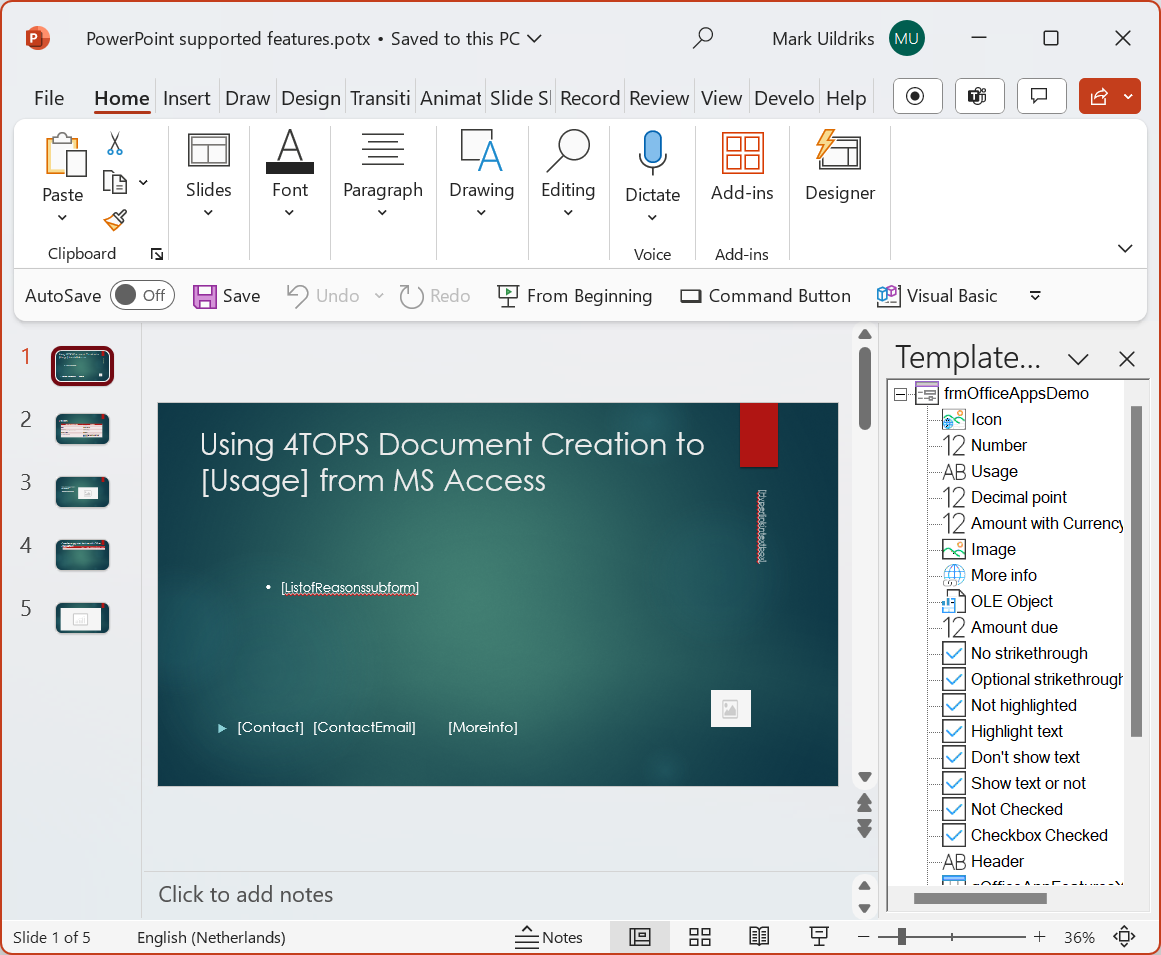
VBA to fill PowerPoint with data from your database
When closing the Template Designer the process wizard uses supplied information to generate VBA code to fill the new PowerPoint presentation, e.g.:
Dim pfr As New PowerpointFiller: Set pfr.Presentation = prs
pfr.FillElement Bookmark:="Usage", Value:=ControlValue(control:=![Usage])
pfr.AddHyperlink Bookmark:="Hyperlinkintextbox", _
  Value:=ControlValue(control:=![Hyperlink in textbox], UseDisplayValue:=False)
pfr.FillListFromArray Bookmark:="ListofReasonssubform", _
  Array1D:=ValuesInSubFormColumn(control:=![List of Reasons subform], _
  ColumnControlName:="Reason")
pfr.AddHyperlink Bookmark:="Moreinfo", Value:=ControlValue(control:=![More info], _
  UseDisplayValue:=False)
pfr.FillElement Bookmark:="Contact", Value:=ControlValue(control:=![Contact])
pfr.FillPictureFromAttachment Bookmark:="Icon", control:=![Icon]
Bookmarks
Bookmarks normally correspond to the name of the field or control that provides the data.
Bookmarks are strings like [CompanyID] with square brackets surrounding the bookmarkname.
They are simply intended to be replaced by a data value.
Methods
AddHyperlink
Adds a hyperlink on the bookmarked place
Public Sub AddHyperlink(Bookmark As String, Value As Variant, _
    Optional ParseValue As Boolean = False, Optional TextToDisplay As String, _
                                  Optional SubAddress As String)
- Bookmark: string value indicating the PowerPoint bookmark
- Value: represents a hyperlink associated with a control on a form, report, or data access page.
- ParseValue:
- TextToDisplay: specify or determine the display text for a hyperlink.
- SubAddress: specify or determine the path to an object, document, webpage, or other destination.
ApplyBoolean
Sets default available property
Public Function ApplyBoolean(Bookmark As String, _
      Value As Boolean)
- Bookmark: string value indicating where to place the Value in Powerpoint . Represented with
“[” and “]”.
- Value:
FillElement
FillElement
Public Sub FillElement(Bookmark As String, Value As String)
- Bookmark
- Value
- Public Sub FillListFromArray(Bookmark As String, Array1D As Variant)
FillListFromArray
FillListFromArray
Public Sub FillListFromArray(Bookmark As String, Array1D As Variant)
- Bookmark
- Array1D: one dimensional array
FillOLEObject
Fills the bookmark with an OLEObject from a file.
Public Sub FillOLEObject(Bookmark As String, _
                              FileName As String)
FillPicture
Fills a bookmark with a Picture from file. Returns a PowerPoint.Shape.
Public Function FillPicture(Bookmark As String, ImageFile As String, _
  Optional MainResize As dcResizeMain = ResizeWidth) As PowerPoint.Shape
- Bookmark
- ImageFile: Path and filename with the image
- MainResize
FillPictureFromAttachment
FillPictureFromAttachment. As PowerPoint.Shape
Public Function FillPictureFromAttachment(Bookmark As String, control As Attachment, _
  Optional MainResize As dcResizeMain = ResizeWidth, Optional Wrap As String) As PowerPoint.Shape
- Bookmark
- control: the full file name of the specified attachment?
- MainResize: specify how a picture for an attachment control is resized
- Wrap:
FillTableFromArray
Fill Table From Array
Public Sub FillTableFromArray(Bookmark As String, var2D As Variant, Optional ColumnOrder As String)
- Bookmark
- var2D : two dimensional array
- ColumnOrder: the order in which the columns are presented
Presentation (Set/Get )
Set the (new) Presentation to add data from the Access database in.
Public Property Set Presentation(rData As PowerPoint.Presentation)
Public Property Get Presentation() As PowerPoint.Presentation